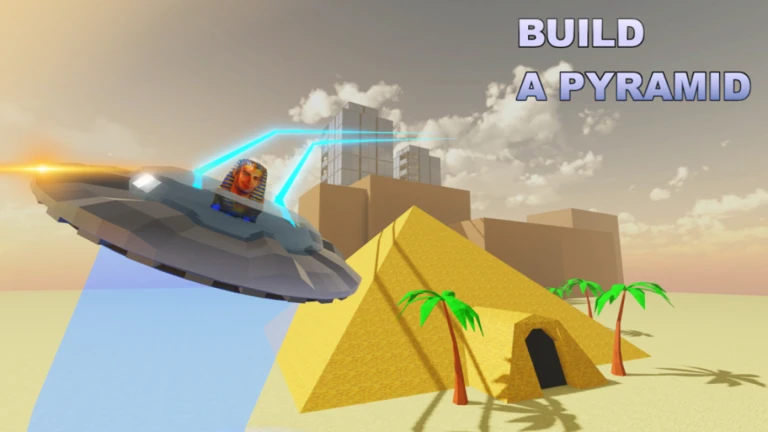
- Build a Pyramid upgrade guide: Prioritize training stats early, then buy upgrades with placement points.
- Best first upgrade: Block Pickup increases blocks grabbed per trip, boosting efficiency fastest.
- Key mechanic: Placing blocks earns points you spend in the upgrade shop.
- Training matters: Strength raises carry capacity; treadmill raises walk speed.
- Endgame loop: Better gyms unlock as you complete more pyramids.
Upgrade System Overview: How It Works
In Build a Pyramid on Roblox, upgrades are purchased with points earned by placing blocks on your pyramid. Every block you carry to the structure and slot into place generates progress, and that progress converts into upgrade currency at the upgrade shop near the build site.
The video below walks through the full loop, from training in the gym to placing blocks and spending points.
Video Highlights:
- Free gym area offers treadmill (speed) and bench (strength) training
- Blocks are picked up with E and placed in slots at the top of the pyramid
- Upgrade shop contains Block Pickup, Bulk Place, and Placement Ring upgrades
- Training before building is more efficient than hauling one block at a time
The upgrade shop sits near the pyramid build zone. After placing enough blocks, head to the upgrade area and spend your accumulated points on the three core upgrades. Each one targets a different bottleneck in the build loop.
Train stats in the gym, carry blocks with E, place them in open slots at the top of the pyramid, then spend placement points at the upgrade shop. Repeat this cycle to scale up fast.
Best Upgrades Ranked by Priority
All three upgrades improve efficiency, but they solve different problems. Here is the general priority order based on how the game loop scales.
| Rank | Upgrade | What It Does | Priority Reason |
|---|---|---|---|
| 1 | Block Pickup | Grabs more blocks per trip | Does not raise capacity but cuts trips drastically, biggest early efficiency gain |
| 2 | Bulk Place | Places multiple blocks at once | Speeds up the placement phase once you carry more blocks |
| 3 | Placement Ring | Expands where blocks can be placed | Quality-of-life at higher tiers when the pyramid floor widens |
Block Pickup First
- Best first buy
- Reduces travel trips
- Multiplies blocks per grab
Bulk Place Second
- Pairs with high capacity
- Places stacks instantly
- Saves climbing time
Placement Ring Last
- Build flexibility
- More valid slots
- Best at later tiers
Block Pickup does not increase how many blocks you can carry, it increases how many you grab in one action. That means fewer walks to the block pile, which is the single slowest part of the loop when your walk speed is low.
Step-by-Step Upgrade Progression
Follow this sequence to set up an efficient build run from a fresh account.
Train at the Free Gym
Start on the treadmill to raise walk speed, then bench for strength. Early walk speed of 9 is painfully slow, so push it toward 20+ before serious hauling. Each bench session raises capacity from 1 block toward 5.
Haul and Place Blocks
Pick up blocks with E and climb to the top of the pyramid. Blocks must go into an empty slot, not anywhere on the structure. Each placement earns points toward upgrades.
Buy Block Pickup
Once you have enough placement points, grab Block Pickup at the upgrade shop. This gets you two or more blocks per grab, cutting trips in half immediately.
Add Bulk Place and Placement Ring
With faster grabs, add Bulk Place to drop stacks quickly, then Placement Ring once the floor area expands and slot positioning becomes a bottleneck.
Unlock Better Gyms
Completing pyramids unlocks improved gym tiers with faster stat gains. Rotate back into training whenever your carry capacity or speed falls behind your upgrade level.
Buying upgrades with a walk speed of 9 and one-block capacity wastes time. Training first is significantly more efficient than brute-forcing the pyramid with base stats.
Training Stats vs Upgrades: Efficiency Comparison
Training and upgrades solve overlapping problems. This table breaks down which approach handles each bottleneck best.
| Bottleneck | Best Fix | Backup Fix | Notes |
|---|---|---|---|
| Slow travel | Treadmill (walk speed) | Block Pickup (fewer trips) | Speed starts at 9, trainable past 20 |
| Low carry limit | Bench (strength/capacity) | Bulk Place | Capacity starts at 1, grows to 5+ |
| Slow placement | Bulk Place | Placement Ring | Matters most at high capacity |
| Weak training gains | Unlock better gyms | Build more pyramids | Gym tiers require pyramid completions |
Gym access scales with pyramids built: the free gym offers basic gains, while higher tiers require completing one, three, or more pyramids with better multipliers per session.
Alternate between training blocks and upgrade purchases. A common rhythm is two gym sessions for every upgrade purchase early on, shifting toward upgrades as your base stats catch up.
Session Goals Checklist
Use this checklist to keep each session focused and efficient.
Per Session Goals:
- Raise walk speed to at least 20 on the treadmill
- Bench press until capacity reaches 5 blocks
- Place 20+ blocks on the pyramid
- Purchase or level up Block Pickup
- Unlock the next gym tier if a pyramid is complete
The game displays your total blocks placed and pyramids built on screen. Watch these counters, since placement points fund every upgrade and pyramid count gates gym access.
FAQ
Q: What is the best first upgrade in Build a Pyramid?
Block Pickup is the strongest first purchase. It increases the number of blocks you grab per action, which halves your trips to the block pile even though it does not raise your carry capacity.
Q: Does Block Pickup increase carry capacity?
No. Block Pickup only increases how many blocks you grab at one time. Carry capacity is raised by training strength on the bench press in the gym.
Q: Where do I place blocks on the pyramid?
Blocks must be carried to the top of the pyramid and placed into an empty slot. Early on, placement is limited to the built floor area, and the Placement Ring upgrade expands valid placement positions.
Q: Should I train or build first in this upgrade guide?
Train first. With base walk speed of 9 and one-block capacity, hauling is extremely inefficient. Push speed and strength in the free gym before committing to a long build session.